Keep your business within reach.
Connect your owner WhatsApp number to Sempre One and check on new leads, business activity, and your next step without needing to be at your desk.
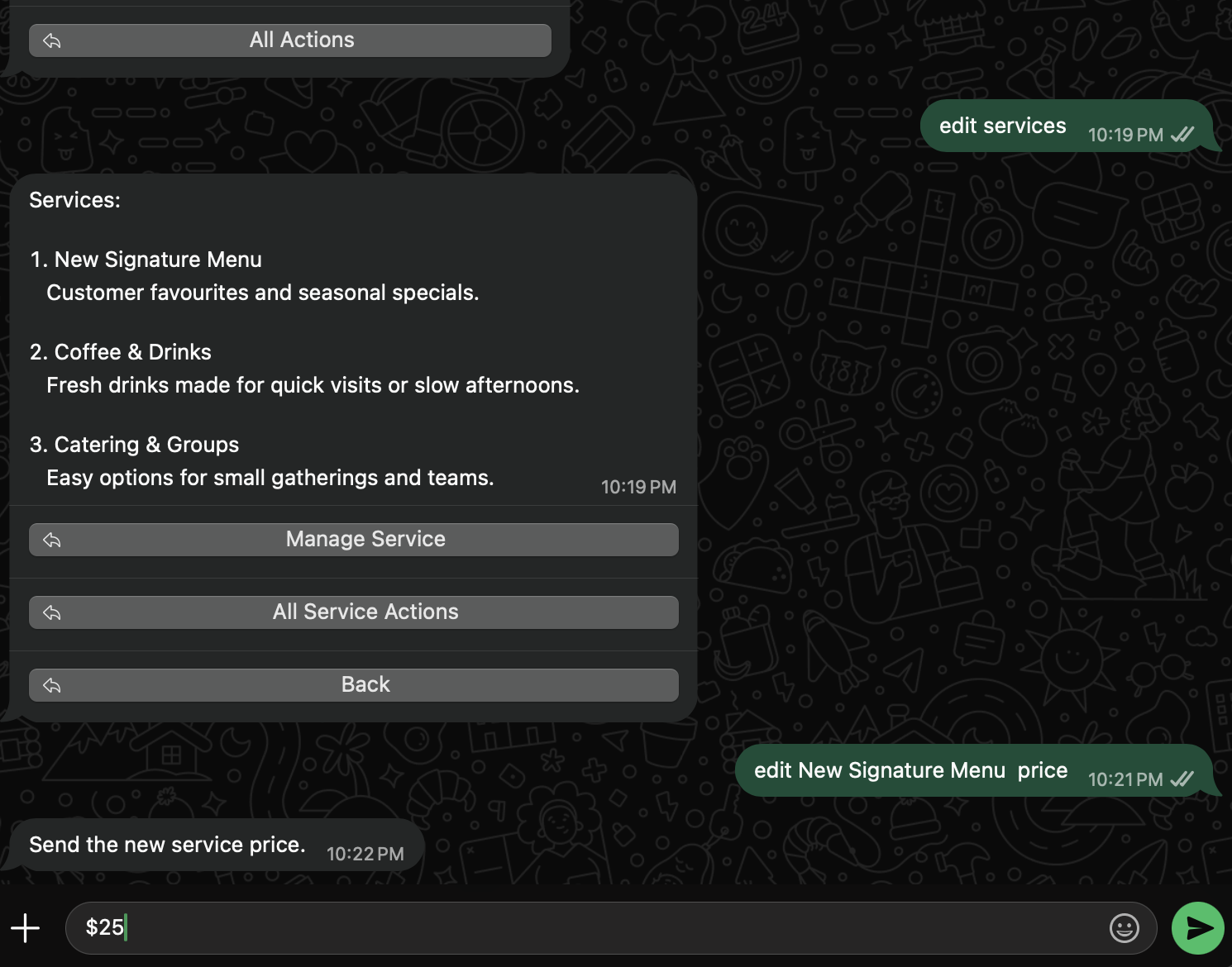
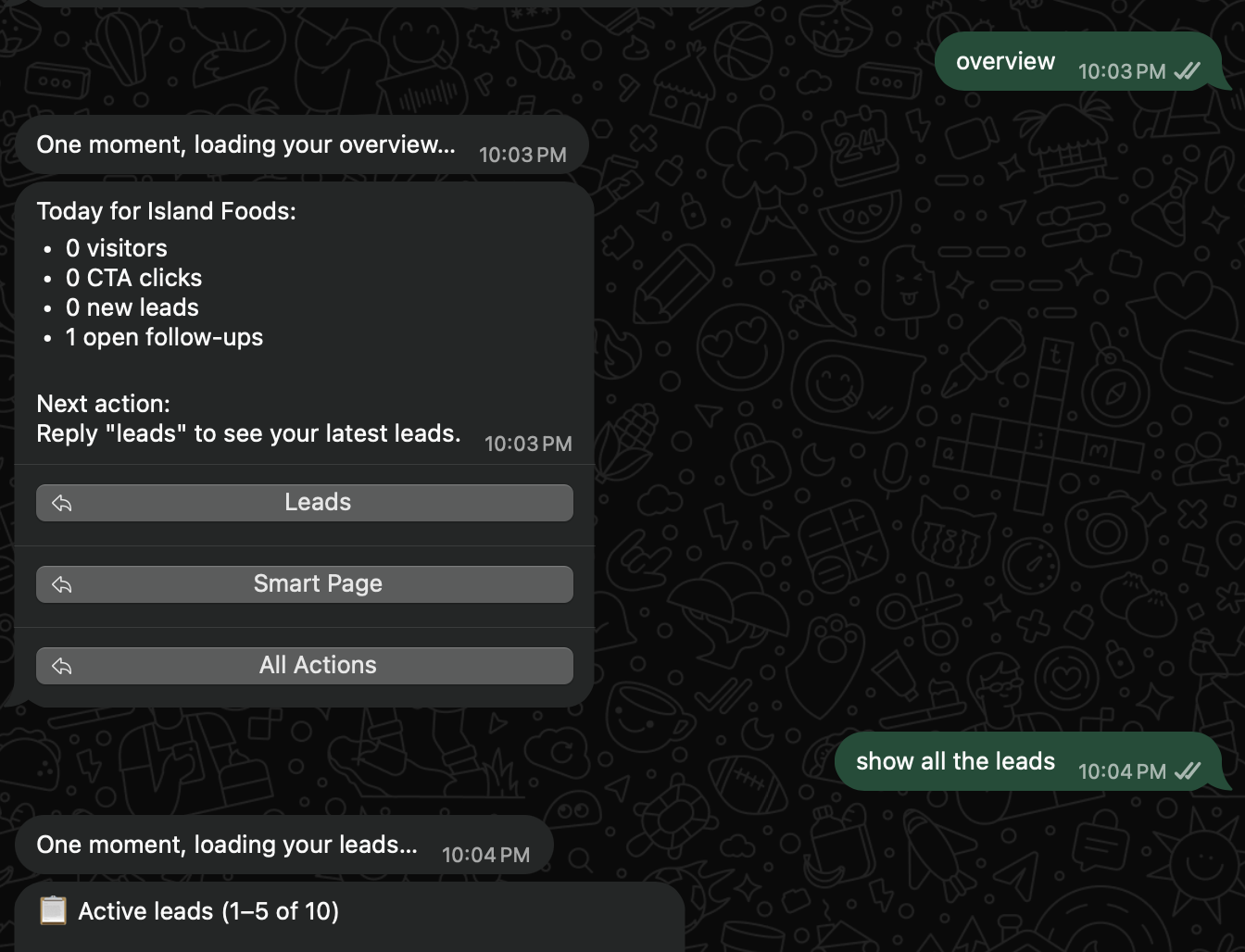
See the important things first, wherever the day takes you.
Running a business rarely happens from one place. WhatsApp gives you a familiar way to check in when you are between customers, jobs, or meetings.
Ask about the business in the place you already use every day.
Overview
A quick picture of what is happening in the business.
Leads
New customer requests and the follow-ups that need your attention.
All Actions
A simple route to the next thing you need to do.
WhatsApp is for the quick answer. Sempre One is where the full story lives.
Use WhatsApp to see what needs you now. Open your Sempre One workspace when you want to read the full customer history, add notes, update a lead, or plan the next step.
01
Full customer and lead details
02
Notes, activity, and follow-up tasks
03
Business settings and deeper reporting
This connection is for the verified business owner, so the information in WhatsApp remains linked to the right account.
Lost the connection? You can safely find your way back in.
01
Reply “owner login” in WhatsApp
02
Confirm through your verified Sempre One email
03
Reconnect the number to your owner account
Recovery uses your verified Sempre One email and a short-lived confirmation link. Your business code cannot restore owner access.
Keep an eye on what matters without stepping away from the day.
Connect your owner WhatsApp number and make it easier to stay close to your leads, customers, and next steps.